An administrator can create global favorites for the portal users. This tab contains an overview table with the columns: Title, Description, URL, Category and Favorite type. These columns can be sorted alphabetically in ascending or descending order by clicking on the adjacent arrow.
At the end of each line there is an edit icon (pencil), a delete icon (trash can) and an icon to open the link. For the “Quick link” favorite type, there is also an icon to sort the order of the quick links.
In addition to the search bar, which can be used to search the overview table by name and description, there are two drop-down fields that can be used to filter by favorite type and category.
In addition to the search bar, which can be used to search the overview table by name and description, there are two drop-down fields that can be used to filter by favorite type and category.
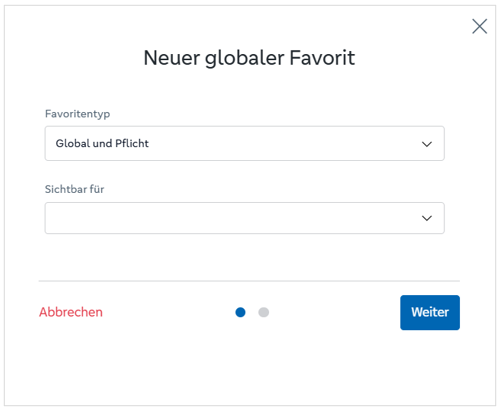
The information that is entered in the editing window or in the creation window depends on the favorite type. A distinction is made between the following favorite types:
The image, name, URL and short description are only recorded for quick links. The visibility field is omitted for your own favorites, as these are created exclusively for the respective user.
Entry wizard “New global favorite”: