

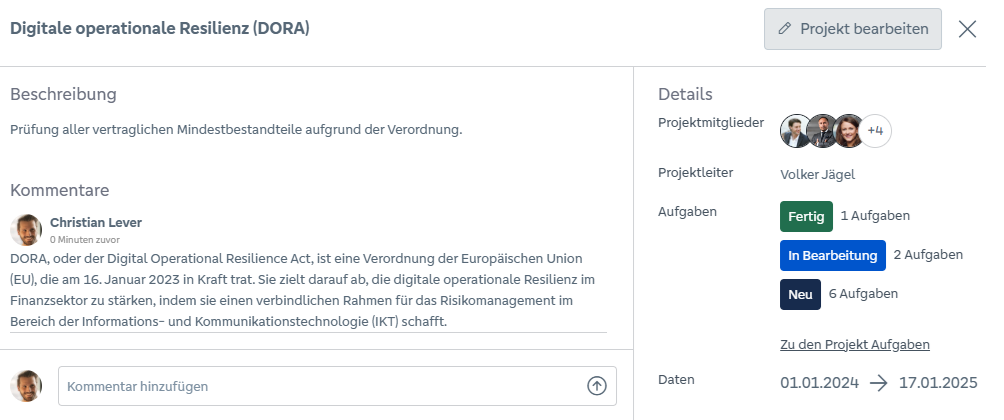
In the detailed view, the data entered when the project was created and comments on the respective project can be viewed. The blue “Edit project” button can be used to open the editing window for the project directly from the detailed view.
The number of tasks assigned to the project and their status is also displayed. The “Go to tasks” button takes the user to the project’s task overview. The individual tasks can be viewed or edited there.
Detailed view of the project:
Wir verwenden notwendige Technologien, damit unsere Website sicher funktioniert. Mit Ihrer Einwilligung nutzen wir außerdem optionale Technologien für Statistik, externe Medien und Marketing. Dabei können personenbezogene Daten verarbeitet und Informationen auf Ihrem Endgerät gespeichert oder ausgelesen werden.
Ihre Einwilligung ist freiwillig und kann jederzeit geändert oder widerrufen werden. Weitere Informationen finden Sie in unserer Datenschutzerklärung.